
Skip to content

Perth owned. Built for WA gamers.

Western Australia
Gaming Internet

Your next rank deserves
a better connection.

OZOT is your home internet service provider on nbn™ and Opticomm. Our network is built for lower ping, fewer lag spikes and more consistent gaming. So you can focus on the match.

  • Unlimited data
  • No lock-in contracts
Concept illustration of a Perth gaming setup connected by glowing fibre to a data centre across the water.
Made for your home. Engineered for your game.
Switch providers. Keep your setup.

A typical remote switch takes around 30 minutes. Your existing compatible router reconnects automatically once it’s complete.

How switching works

Better internet. Better game.

Fast downloads are only
part of the story.

Your plan’s speed tells you how much data can move at once. In a match, what matters is how quickly and consistently your game data gets there. That’s where we put our effort.

Lower ping
Less time between your action and the server’s response. A connection that feels more responsive.
Lower jitter
Less variation in your ping. Steadier gameplay, with fewer sudden changes in response time.
Less packet loss
More of your game data makes it through. Fewer missing updates that can cause stutters or rubber-banding.

Follow your connection

Same home. Same access network.
A different journey to the game.

Like Telstra or Aussie Broadband, we supply your home internet. Your nbn or Opticomm connection carries your traffic to us. From there, the network your provider builds makes the difference.

Explore each part of the journey

The access network brings you to usOZOT’s optimised network takes you to the game
At your place

Your setup sends the game data.

Your PC or console sends small bursts of data through your router. These are “packets”: things like your movement, actions and game updates. Ethernet is a good way to give those packets a stable start.

The connection to your home

nbn or Opticomm gets you to your provider.

This is the access network linking your home to our data centre. Switching to OZOT usually keeps this same physical connection. What changes is who carries your traffic from there.

This is where we make the difference

Our routers put your game on a better path.

When your traffic reaches our data centre router, it enters the OZOT network. Our own routing system chooses low-latency paths to game servers. We also engineer rapid backup routes and prioritise game data heading back to your home.

To the server and back

Every match is a two-way conversation.

Your data travels over land and, for overseas servers, subsea cables. The server sends game updates back to you. A faster, more reliable journey helps keep that conversation responsive and consistent.

Think of the access network as your local road. We choose the roads that take you the rest of the way.

Inside the OZOT network

Three ways we look after your game.

Purpose-built routing, fast recovery and a place at the front of the queue.

Lower ping

We invest in the
faster way there.

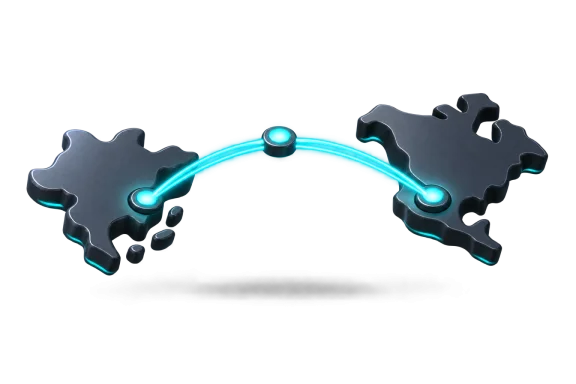
A cheaper cable route can mean a longer wait for your game data. We pay more for low-latency terrestrial and subsea paths, and our own routing system chooses the best paths for game traffic worldwide.

What you feel

A more responsive connection to the servers you play on.

A little more technical

Terrestrial cables cross land; subsea cables cross oceans. Our proprietary routing system optimises game traffic across these paths for low round-trip latency, rather than choosing routes on cost alone.
Less disruption

A backup path.
Ready in a heartbeat.

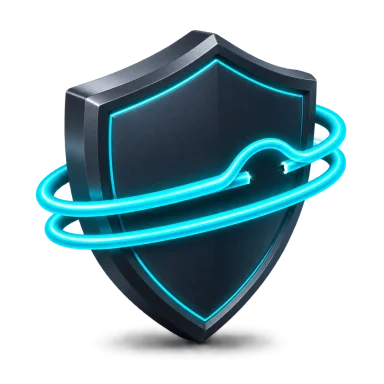
If a land or subsea cable fails, waiting for a new route can mean lost game data. We’ve engineered our network to move traffic onto a backup path in less than a millisecond, helping minimise packet loss during the change.

What you feel

Fewer interruptions when a cable on our network fails.

A little more technical

Our cable-failover methodology is engineered for sub-millisecond recovery within our network. That is the route switchover time, not your ping to a game server. A backup route can have a different latency.

Steadier under load

The house is downloading.
You’re still in the game.

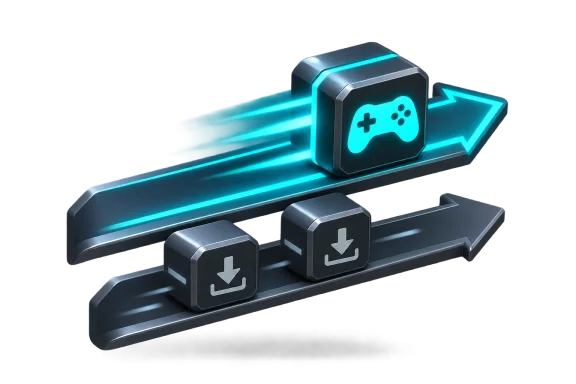
Big downloads can fill the connection to your home. We give game traffic priority when sending data to you, so those small, time-sensitive updates get ahead of the download queue. That helps reduce jitter and packet loss when things get busy.

What you feel

More consistent gaming while your household downloads.

A little more technical

This is Quality of Service (QoS) for game traffic we send towards your home. It manages the downstream queue; it cannot remove Wi-Fi interference or congestion from an upload saturating your router.

See the engineering in action

Cable resilience

A break in the cable.
A new way through.

Primary path active. Backup path ready.

Route failover, illustrated. Our network is engineered for sub-millisecond switchover. Backup routes can have a different ping.

Game traffic priority

A busy household.
Room for your game.

Small game updates get served first, even while larger downloads are filling the connection to your home.

Game data gets the front of the queue.

Downstream game traffic priority, illustrated.

Put our network to the test

See it live.
See what it could mean for you.

Explore our network’s performance right now, then compare your current connection with an estimate for OZOT.

Live Latency Data

Our network.
Right now. In the open.

Watch our latency and packet loss to different states and countries in real time. The graphs update every second, so you can see how our network is performing for yourself.

Concept illustration of network routes connecting Western Australia with Asia and the wider world.
Network illustration. Open live data for current measurements.
Latency msPacket loss %Updated every second
View Live Latency Data
Your personal latency test

What could your
ping look like?

Run our free test on your current provider. Compare your measured ping with the estimated ping you could get on OZOT.

Your current providerYour measured ping
On OZOTYour estimated ping
SydneySingaporeTokyoLos Angeles+ more locations

Your results start with your connection.
No need to switch first.

Compare my ping for free

OZOT results are estimates, not a guarantee. Your location, access connection, home setup and game server can affect your experience.

Less setup. More play.

New provider. Familiar setup.
Usually around 30 minutes.

Already connected to nbn or Opticomm? We can usually switch your service remotely.

  1. Find your plan

    Compare plans, then check your address during signup to confirm availability and choose your speed.

  2. We handle the switch

    A typical remote switch takes around 30 minutes. Most existing connections don’t need a technician visit.

  3. Your router reconnects

    Your existing compatible router or modem automatically connects when the switch is complete. Then you’re ready to play.

Timing depends on your existing service and access technology. New connections or some router setups may need extra steps.

Before you join

A few good questions.

Everything else? Explore our full FAQ or talk to us.

Is OZOT my internet provider, or an add-on?

We’re your internet service provider, just like Telstra or Aussie Broadband. You sign up for a home internet plan with us on nbn or Opticomm. Our gaming optimisations are part of our network, so you don’t need to install an app or run a VPN to use them.

If the nbn is the same, how can my gaming improve?

The nbn or Opticomm access network connects your home to your provider. From there, providers use different networks and routes to reach game servers. We invest in low-latency cable paths, rapid failover and downstream game-traffic priority. That’s the part of the journey we optimise.

Can I keep my router or modem?

Yes, in most cases. An existing compatible router or modem reconnects automatically once the remote switch is complete. Some configurations may need a settings change. If you’re unsure about your equipment, check with us before switching.

Will this internet work for the rest of my household?

Yes. This is your home internet for streaming, working, browsing and downloading as well as gaming. Plans include unlimited data. Game traffic gets priority in the downstream queue, while other traffic uses the remaining capacity.

Will switching fix every kind of lag?

Our network is built to reduce the lag your provider’s routing and queues can introduce. Wi-Fi interference, your home equipment, access-network faults and the game server itself can still affect a match. The latency test gives you a useful estimate of the routing difference before you switch.

Give your game a better connection

Focus on the climb.
We’ll focus on the connection.

Lower ping. Steadier gameplay. A network built by people who care about your next match as much as you do.

Unlimited data · No lock-in contracts · Keep your compatible router